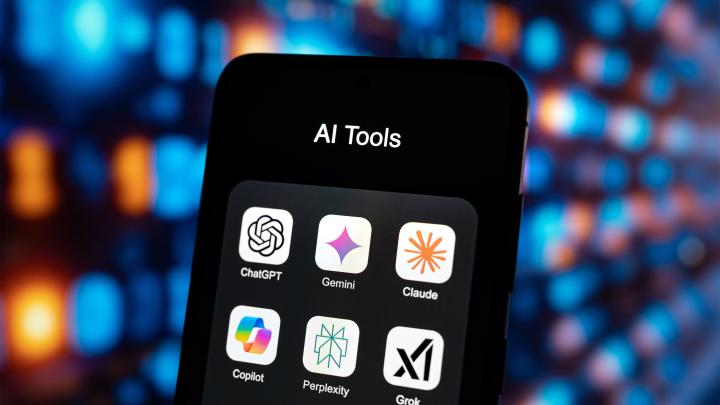
The question lands in every client meeting now, usually somewhere between the second agenda item and the first coffee refill: "Should we be on ChatGPT, or Claude, or that Copilot thing?"
It's a fair question and a loaded one. Because the honest answer isn't about which AI is "best." It's about which one is right for their environment, their compliance requirements, and where they are on the journey from AI curiosity to AI that actually works at scale.
Here's the framework we use at ECI to help channel partners and their clients cut through the noise.
First, the Problem With How Most Organizations Are Approaching This
Eighty-eight percent of organizations are already using at least one AI tool. Fortune 500 companies have tripled their AI deployments year over year. Global AI spend has surpassed $2.5 trillion. And yet, two-thirds of enterprises haven't scaled AI beyond a pilot program.
That gap between spending and scaling is where your clients are living right now. And more often than not, the culprit isn't the technology. It's the decision-making process that got them there.
Organizations that jump between tools, run parallel pilots across three platforms, and let individual users self-select their preferred AI don't end up with AI adoption. They end up with AI chaos: confused employees, fragmented workflows, and an IT team trying to govern something that was never governed to begin with.
The better approach: make a deliberate, informed choice. Pick the platform that fits the environment. Build on it. Then grow.
The Three Platforms Worth Talking About
When it comes to enterprise AI tools, three platforms dominate the conversation: Microsoft 365 Copilot, ChatGPT Enterprise, and Claude Enterprise. Each has a distinct philosophy, a distinct strength, and a distinct set of trade-offs your clients need to understand before they commit.
Microsoft 365 Copilot: Built for the Microsoft-First Organization
If your client is already running Microsoft 365 (and most of them are), Copilot deserves serious consideration. It isn't a separate tool. It's an extension of the environment they already live in.
That distinction matters more than it sounds. Copilot is grounded in your client's Microsoft Graph from day one. Their emails, documents, meetings, and Teams conversations are all immediately available as context. No data connectors to configure. No separate indexing pipeline. No question of where the data lives, because it never leaves the tenant.
From a governance standpoint, Copilot is in a class of its own. It ties directly into Microsoft Purview, which means DLP policies, sensitivity labels, retention rules, and compliance boundaries all apply automatically. If a user's Copilot chat references a document labeled Confidential, the output inherits that label. That kind of automatic governance doesn't exist natively in any other AI platform on the market today.
For regulated industries including financial services, healthcare, and firms under SEC, FINRA, or GDPR scrutiny, this matters enormously. Copilot is currently the only platform offering warm storage for AI interactions, making it the only enterprise AI tool fully compatible with certain retention mandates.
One thing worth flagging to clients: Microsoft is now positioning Copilot as a model orchestrator, not a single-model tool. Claude (Sonnet) and GPT-4o are both already accessible through Copilot, with automatic model selection based on the user's intent. The practical implication is that clients don't have to choose between Microsoft and Anthropic. They can have both, governed through a single compliance boundary.
Best fit: Organizations deeply embedded in Microsoft 365, firms with compliance archiving requirements, clients who need the most mature data governance controls available.
ChatGPT Enterprise: The Most Mature Enterprise Controls Outside Microsoft
ChatGPT Enterprise benefits from something no other AI platform can claim: it was first. Seven hundred million users. The widest brand recognition. And years of enterprise iteration that show in the product's maturity.
For channel partners, the most compelling differentiator is its RBAC and admin control framework. ChatGPT Enterprise lets administrators define which models users can access, publish custom GPTs at the organization level so users can't go rogue with their own versions, and enforce domain-approved actions across the platform. It's the kind of granular control that IT teams and compliance officers actually need.
Its eDiscovery ecosystem is also notably strong, with eight native integrations covering platforms like Smarsh, Global Relay, Microsoft Purview, Palo Alto, and Zscaler, with auto-rotating API keys and human-readable output. For clients who need to archive AI interactions and surface them in legal or regulatory proceedings, this is a meaningful operational advantage over Claude's current setup.
One thing to flag: just because ChatGPT Enterprise carries SOC 2 certification doesn't mean your client inherits that compliance automatically. The controls still need to be configured correctly. This is a common misconception worth addressing early in any deployment conversation.
Best fit: Organizations that want the broadest model access, need mature enterprise admin controls, or have existing eDiscovery workflows they need AI to plug into.
Claude Enterprise (Anthropic): Best-in-Class Reasoning, With Governance Gaps to Know
Claude has earned its reputation. Its reasoning capabilities are genuinely impressive, its context window of up to one million tokens is industry-leading for long-document analysis, and its open, MCP-first architecture means it can connect to virtually any data source you point it at.
For clients who are building custom workflows, doing deep document analysis, or want to run AI in a fully isolated environment, Claude Enterprise is worth a serious look. It supports VPC deployment in AWS and GCP, with Azure support coming.
But there are trade-offs that channel partners need to communicate honestly.
Claude's admin controls are thin by enterprise standards. Access is essentially all-or-nothing: owner, admin, or user, with no granular feature-level permissioning. Native DLP integration doesn't exist yet, so data loss prevention requires third-party tooling or custom API builds. Many of Claude's most talked-about features are still in research preview or beta, which comes with real SLA implications. And for organizations with users in the EU: Claude's data currently transmits through U.S. infrastructure. Without the VPC route, firms handling GDPR-regulated data may be out of compliance without realizing it.
None of this makes Claude the wrong choice. It makes it a choice that requires more infrastructure and governance work to deploy safely, and your clients should know that going in.
Best fit: Organizations doing heavy document analysis, firms comfortable building custom governance infrastructure, clients who want full deployment isolation via VPC.
The Governance Conversation Your Clients Aren't Having (But Need To)
Here's what separates AI deployments that scale from ones that stall: the organizations that succeed treat data governance as a prerequisite, not an afterthought.
Before any AI platform goes live, your clients need honest answers to a few questions.
Who has access to what? AI doesn't create oversharing problems. It reveals them. When an AI tool can search across everything a user can technically access, data that was always technically available but practically hidden suddenly surfaces. An oversharing audit before deployment is essential, not optional.
How clean is the data? AI is only as good as what it consumes. Stale, ungoverned, poorly organized content produces poor AI results. Clients who complain that AI "doesn't work" often have a data quality problem masquerading as a technology problem.
What are your users already using? Shadow AI is the new Shadow IT. Personal ChatGPT and Gemini accounts are almost certainly already in use across your client's organization, without enterprise data protections. Knowing what's out there and putting policy and technical guardrails in place is table stakes before rolling out an enterprise platform.
Is your data classified? Sensitivity labels are the foundation of AI governance. Without classification, there's no reliable way to enforce what AI can and can't access, what it can and can't output, or what users can and can't do with AI-generated content. A simple three-to-four label framework (Public, Internal, Confidential, Highly Confidential) is a practical starting point for most organizations.
For clients in regulated industries navigating SEC expectations specifically: regulators aren't asking to see every AI interaction logged. What they want to know is whether you're using AI to drive decision-making (and if so, whether you can demonstrate that process), and whether you have documented oversight of your AI agents, including what they can access, what permissions they hold, and what actions they're authorized to take.
The Adoption Question Hiding Inside the Tool Question
There's a pattern worth naming directly. A user opens a free or lightly configured AI tool, gets a mediocre response, and concludes the technology doesn't work. Their colleague on a fully licensed, properly integrated platform gets a great response and wonders why everyone isn't using it.
The tool isn't the variable. The configuration, the data quality, and the user's prompting approach are the variables.
Research consistently shows that the strongest predictor of broad AI adoption is simple: the AI tool lives inside the user's existing work environment. Not the most powerful model. Not the biggest feature set. Proximity to where work actually happens.
That's why clients who see the highest Copilot adoption are invariably the ones using the full Microsoft stack: SharePoint, Teams, Planner, OneDrive. Copilot has rich, current, well-organized data to draw from, and it meets users where they're already working. The same principle applies to any platform. The more integrated the tool is with the user's actual workflow, the more likely it is to stick.
How to Have This Conversation With Your Clients
When a client asks which AI tool they should use, the right first move isn't to recommend a platform. It's to ask four questions:
- Where does your data live, and how mature is your governance? The answer shapes everything else.
- What compliance requirements are non-negotiable? Retention, residency, journaling, and audit requirements narrow the field quickly.
- What does your Microsoft footprint look like? Heavy Microsoft shops have a strong default answer.
- Are you building AI into workflows, or still running experiments? Pilot-stage clients and scale-stage clients need different conversations.
From there, the tool recommendation follows naturally. And importantly, it arrives with a governance framework that gives the deployment a real chance of succeeding, not just launching.
Still figuring out which AI tool is right for your organization?
ECI's Julius Damato and Brian Lyons break down exactly that, comparing Microsoft 365 Copilot, ChatGPT Enterprise, and Claude Enterprise side by side, covering everything from data governance and compliance to real-world adoption. Skip the hype and get a straight-talk guide to making the right call for your environment.
🎥 Watch the on-demand recording here.
ECI works with channel partners at every stage of this conversation, from AI readiness assessments and data governance frameworks to platform deployment, user enablement, and ongoing optimization. If your clients are asking the AI tool question, we can help you answer it with confidence.
Learn more about partnering with ECI at eci.com/our-partners.